

Calling Agent
Turn conversations
into qualified next steps.
Configure a voice agent, choose who it should call and approve the campaign before Helmara starts the conversations - with qualification, callbacks and calendar booking built into the workflow.
- Number
- Agent
- Audience
- Rules
- Calendar
- Approve
- Call
- Book / follow up
- Outcome
Your calling number
Give your agent
a number to call from.
Provision a DID through Telnyx, choose a local or toll-free presence, or connect an existing Telnyx number - then set the caller ID your prospects will see.
-
(415) 555-0142 United States · LocalActive
-
(800) 555-0184 United States · Toll-freeActive
Your AI calling agent
Choose how the conversation
should sound and behave.
Pick a voice, language and speaking style, then define the persona, goal, script and objection handling so every campaign starts from a clear business agent - not a generic text-to-speech playground.
- Voice
- Rachel · ElevenLabs
- Language
- English (US)
- Speaking rate
- Normal
- Tone
- Friendly
- Goal
- Qualify and book a consultation
Script preview
Hi {{first_name}}, this is Alex calling from Northwind. Do you have a minute to see if a short consult would help?
Call with clear rules
Set the boundaries
before the first call.
Business-hours enforcement in the lead’s local timezone, Do-Not-Call protection, attempt limits, concurrency caps and region-appropriate AI disclosure keep outreach controlled.
Calling Rules
- Business hours
- 09:00 to 18:00
- Lead timezone
- On
- Maximum attempts
- 3
- Concurrent calls
- Configured
- DNC protection
- On
- AI disclosure
- On
Your audience
Start with the people
you actually want to reach.
Use a lead list already created in Helmara or upload your own audience, then configure the calling campaign around that group.
Helmara Leads
Lead list readyPull contacts from Lead Generation into Calling.
Upload CSV
Your fileImport a CSV audience for a campaign-specific call list.
Campaign setup
Different audience?
Different conversation.
The permanent Voice Agent is your base identity. Each campaign sets who to call, why you’re calling, when to dial and the script or rules for that audience.
Voice Agent
- Voice & language
- Persona & tone
- Base behavior
This campaign
- Target audience
- Call script
- Time preference
- Concurrency & attempts
- Audience
- Agent & Script
- Calling Rules
- Calendar
- Review
Calendar connection
When someone is ready,
find a time while you’re still talking.
Connect Google Calendar or Microsoft 365. Helmara searches availability, respects working hours, offers times in the lead’s timezone and creates the event with an invite.
Call in progress
“Would Tuesday at 2 PM work?”
Available
You approve the campaign
Nothing starts calling
until you’re ready.
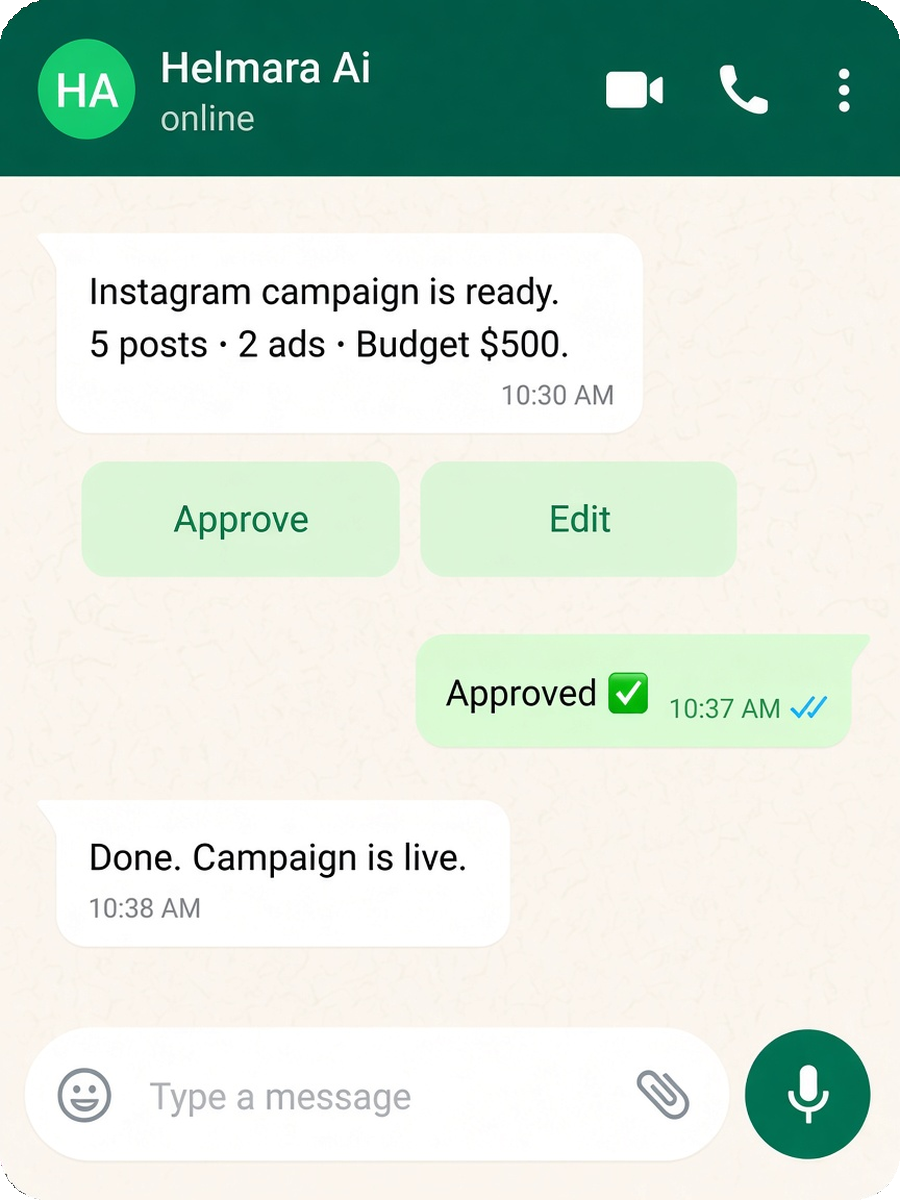
Campaigns move to pending approval, then you confirm on WhatsApp before the scheduler can dial. Automation with human control - WhatsApp is the owner channel; Telnyx runs the calls.
Calling campaign ready
- Audience
- New leads
- Agent
- Sales Assistant
- Calling window
- 09:00 to 18:00
- Calendar
- Connected
Approved ✓ · Ready to schedule
Real-time voice AI
Listen.
Understand.
Respond.
The agent listens to what the lead says, considers the conversation and its script, then responds in real time - with barge-in handling, voicemail detection and warm transfer when needed.
Lead
“I’m interested, but next month would be better.”
Live transcript
Lead · interested · follow-up requested
Agent
“Absolutely. When should I call you back?”
Powered by Telnyx call control with real-time speech understanding and natural voice response.
Every call has a next step
Book it. Follow up. Transfer.
Or know when to stop.
Qualified leads can book. Callbacks and retries keep momentum. Warm transfer brings in a person. Voicemail and DNC outcomes are recorded cleanly.
- QualifiedBook meeting
- Call me laterSchedule callback
- Need a personWarm transfer
- No answerRetry policy
- VoicemailMessage / end
- Not interested / DNCRecord outcome
Follow up when they ask
“Call me next week”
can become the next call.
When a lead asks to speak later, Helmara can turn that request into a scheduled callback. No answer or busy can retry with configured spacing and a maximum attempt limit - not endless dialing.
Callback
“Call me next Thursday afternoon.”
Retry rules
- Triggers
- No answer · Busy
- Spacing
- Configured
- Max attempts
- 3 (default)
From interest to calendar
Don’t end with
“I’ll send you some times.”
When a qualified lead is ready to meet, the agent can check real calendar availability and offer options during the conversation instead of creating another manual follow-up step.
Call
“Tuesday at 2 works.”
Calendar
Tue 2:00 PM · Available
Meeting booked
Invite sent ✓
Reminders
24h · 1h
Keep the next step moving
Booked doesn’t mean forgotten.
WhatsApp reminders at T-24h and T-1h, plus a pre-meeting email, help the booked conversation actually happen.
- WhatsAppT-24h
- WhatsAppT-1h
- EmailPre-meeting
Every conversation leaves context
Know what happened
without listening to every call.
Each completed call can leave a speaker-labelled transcript, outcome, sentiment and lead update. Recording is available only when you opt in.
- Outcome
- Meeting booked
- Sentiment
- Positive
- Duration
- 4m 12s
- Recording
- Available only if enabled
- Next step
- Calendar event created
Transcript
- Agent Hi Jordan - do you have a minute?
- Lead Sure, what’s this about?
- Agent A short consult on your outbound workflow.
- Lead Tuesday at 2 works.
Connected to your leads
Find the audience.
Then start the conversation.
Lead Generation can supply audiences to Calling Agent. After the call, the outcome can update the lead - so sourcing and conversation stay connected.
Calling results
See which conversations
are creating next steps.
Track call volume, connect rate, meeting booking rate and cost per meeting - plus per-call outcome, sentiment and transcript context.
FAQ
Calling Agent, answered.
Straight answers from how the Calling specialist actually works.
Yes. A Calling campaign can use an uploaded CSV or a lead list from Helmara Lead Generation.
Yes. Calling campaigns enter a pending-approval state and are approved through Helmara’s WhatsApp approval workflow before the scheduler begins dialing.
Yes. The Calling setup supports voice selection, language, speaking rate, tone, persona, script and objection-handling configuration.
Yes. With a connected Google or Microsoft calendar, the agent can search availability, offer available times and create the selected calendar event.
Helmara can interpret a callback request such as “call me next week” and schedule the call for the requested time.
The voice workflow supports barge-in handling, allowing the agent to stop speaking and listen when the other person starts talking.
Yes. An active call can be warm-transferred to a client-nominated number.
No. Call recording is an opt-in feature. Post-call records can also include a transcript, outcome and sentiment.
The launch scope is focused on outbound Calling campaigns. Inbound AI calling is planned for a later release.