Paid Ads
Run paid campaigns
without losing control.
Build Meta and Google campaigns from one workflow, reuse your Helmara content and lead audiences, approve the campaign on WhatsApp and keep budget guardrails around what happens after launch.
- Connect
- Objective
- Audience
- Creative
- Budget
- Validate
- Approve
- Publish
- Monitor
Start with your accounts
Connect the platforms
you’re already advertising on.
Connect Meta Ads for Facebook and Instagram, plus Google Ads for Search, Display, Performance Max and YouTube. Attach multiple advertising accounts and reconnect when tokens expire.
Facebook · Instagram
Search · Display · Performance Max · YouTube
Start with the objective
Tell Helmara
what the campaign should achieve.
Choose the goal, define who should see the ads, then set placements and format before budget and creative are locked in.
Campaign objective
- Awareness
- Traffic
- Engagement
- Leads
- Conversions
- App installs
Audience
- Location
- United Kingdom
- Age
- 25 to 44
- Interests
- Business software
- Custom audience
- UK SaaS Founders
- Lookalike
- Enabled
Your leads can become your audience
The audience you found
can become the audience you advertise to.
Reference a Lead Generation list as a custom audience, then build a lookalike where applicable - at the Helmara workflow level.
Placements & format
Choose where
the campaign should show up.
Pick Meta and Google placements, then match the creative format - single image, carousel, video, story or collection.
Meta
- Feed
- Stories
- Reels
- Search
- Display
- YouTube
Ad format
- Single image
- Carousel
- Video
- Story
- Collection
Your content doesn’t have to start over
Turn Helmara content
into campaign creative.
Select assets from your Content Generation library, or upload custom creatives. Paid Ads still handles configuration, approval and publishing.
Content library
Paid ad preview
Selected creative · ready for review
Creative variants
Test more than
one creative direction.
Run A/B ad-set tests while the campaign is live. Automatic winner selection is not part of the launch scope - you stay in control of interpretation.
- Variant AImage · Feed
- Variant BVideo · Stories
- Variant CCarousel · Feed
Budget control
Decide the limits
before the campaign goes live.
Set daily and lifetime budget caps. Lifetime budget is a hard cap - when it is reached, the campaign can auto-pause. Bid strategies include lowest cost, cost cap, target CPA and target ROAS.
Campaign budget
- Daily cap
- $150
- Lifetime cap
- $3,000
- Spent
- $0
0% · Budget guard Active ✓
Check before it leaves Helmara
Catch configuration problems
before the campaign reaches the platform.
Helmara validates the campaign against each platform’s rules, then moves it to pending approval - not straight to publish.
Campaign check
- Objective ✓
- Audience ✓
- Placements ✓
- Creative ✓
- Budget ✓
Ready for approval
You approve the campaign
See the creative.
See the budget.
Then decide.
WhatsApp delivers a creative preview and budget summary. The campaign stays pending until you approve. Approval links for Paid Ads expire after 24 hours.
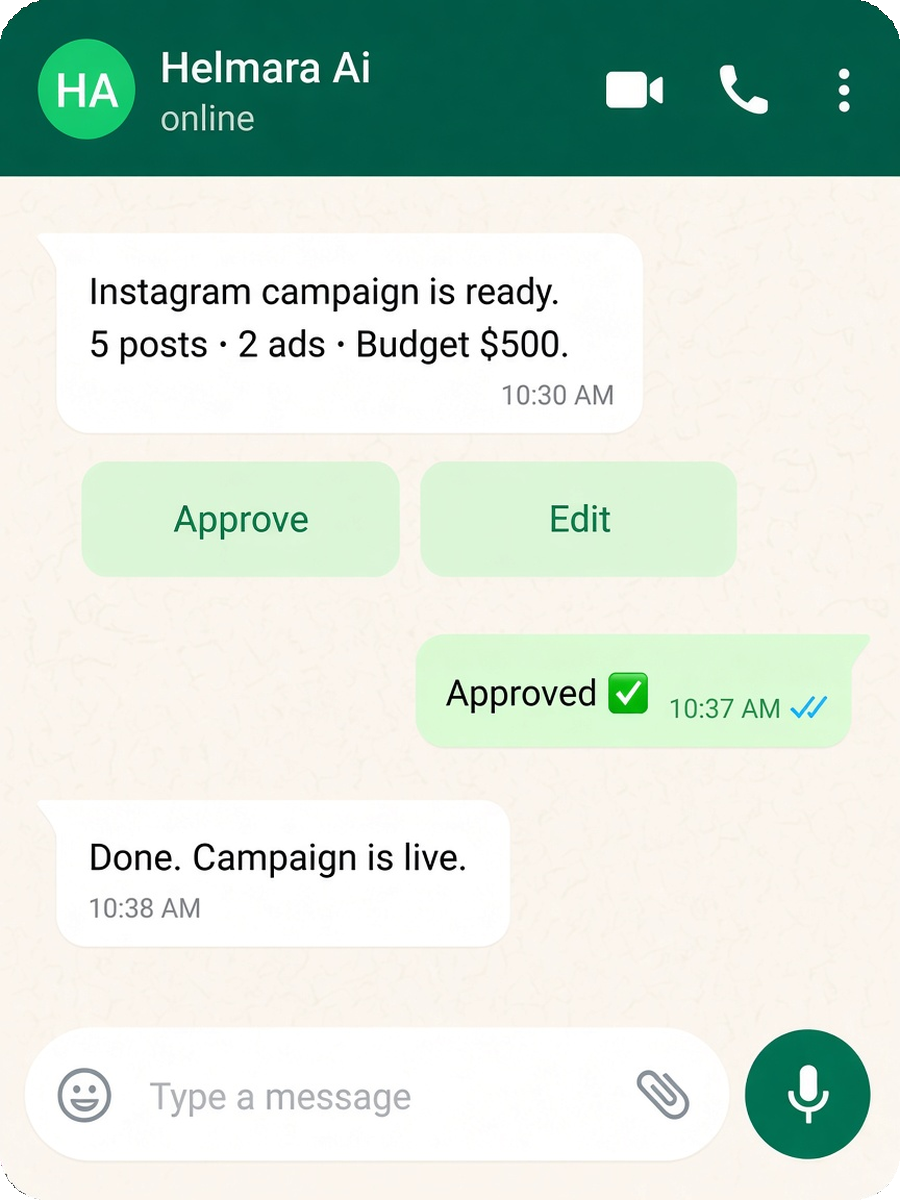
Helmara AI
Paid Ads campaign ready for review
- Objective
- Lead generation
- Platforms
- Meta + Google
- Daily budget
- $150
- Lifetime budget
- $3,000
Approved ✓
One campaign workflow
Build once.
Publish across Meta and Google.
After approval, Helmara pushes the campaign to each connected platform and can notify you when it is live.
After launch
Going live
isn’t the end of the workflow.
Pause or resume, adjust budgets, add or retire creatives, rotate creatives and run A/B ad-set tests from one campaign detail view.
Campaign detail
UK SaaS Lead Gen- Pause / Resume
- Adjust budget
- Add creative
- Retire creative
- A/B ad-set test
Know before the budget is gone
Spend should never
be a surprise.
Get alerted around 80% budget consumed, again at 100%, and auto-pause when the lifetime cap is reached. Unusual spend patterns can also trigger an alert.
One performance view
Meta and Google,
without two reporting worlds.
See impressions, CTR, CPM, CPC, CPA, spend, conversions and ROAS in one dashboard. Export PDF, CSV or a share link when you need a report.
Measure what happens next
Connect campaign activity
to meaningful actions.
Use Meta Pixel, Google Tag and server-side conversion API support, with configurable attribution windows - without claiming perfect attribution.
- Meta Pixel
- Google Tag
- Server-side conversion API
- 1-day / 7-day click · 1-day view
Content + Leads + Ads
Where Helmara specialists
come together.
Content provides creative. Leads provide audience. Paid Ads builds, approves, publishes and monitors the campaign across Meta and Google.
FAQ
Paid Ads, answered.
Straight answers from how the Ads specialist actually works.
The launch scope supports Meta Ads for Facebook and Instagram, plus Google Ads including Search, Display, Performance Max and YouTube.
Yes. Paid Ads can reuse assets from the Helmara Content Generation library, or you can upload custom creative for the campaign.
Yes. Lead Generation lists can be used as custom audiences in the Paid Ads workflow, with lookalike audiences also supported where applicable.
Yes. The campaign is validated and enters a pending-approval state. Helmara can send the creative preview and budget summary to WhatsApp for approval before publishing.
Yes. The campaign workflow supports publishing across connected Meta and Google Ads accounts from Helmara.
Campaigns can have daily and lifetime budget caps. Helmara also supports budget-consumption alerts, lifetime-cap auto-pause and unusual-spend alerts.
Yes. Live campaigns support pausing and resuming, changing budget limits and adding or retiring creatives.
The unified dashboard can show metrics including impressions, CTR, CPM, CPC, CPA, spend, conversions and ROAS across connected platforms.
Automatic winner selection and automatic budget reallocation are part of a later release rather than the launch feature set.